Annotation Review
SIA-Review-Tool For Designers
As owner of a pipeline it is often required to have a quick look at the current annotation progress or to correct single annotations of an annotation task. For that purpose we implemented the SIA-Review tool. It is available for users with the role designer and can be accessed via the pipeline view, when clicking on the Review Annotations button.
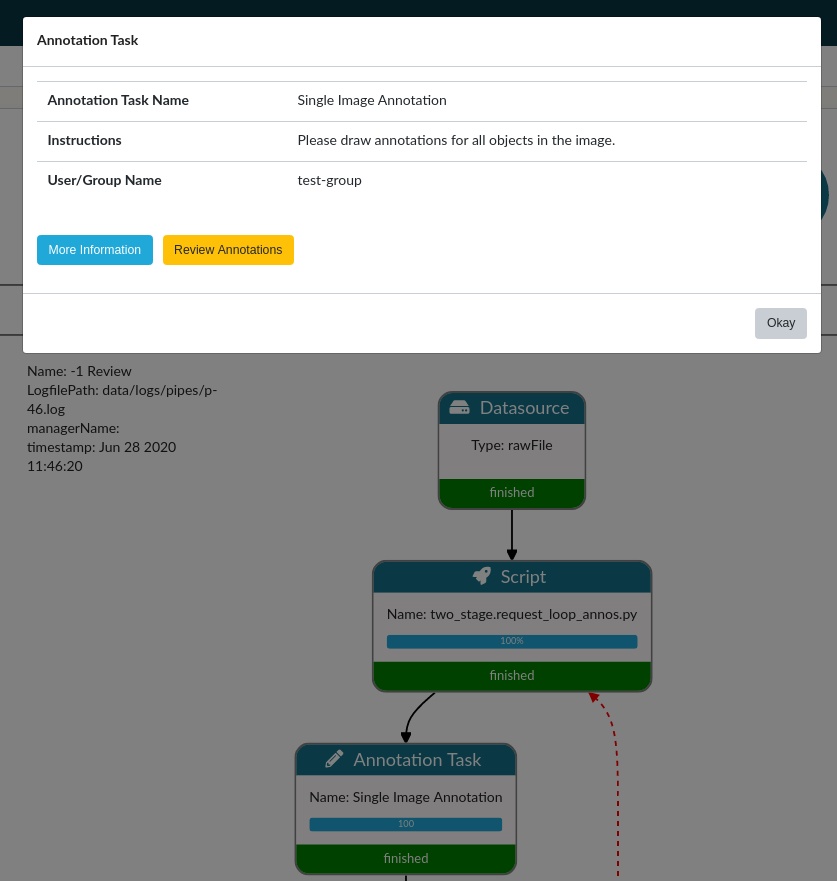 Figure 1: Review button inside the details view of an
annotation task.
Figure 1: Review button inside the details view of an
annotation task.
Figure 1 show the detail popup of an annotation task in a pipeline. When clicking on the Review Annotations button you will be redirected to the SIA Review Tool. Figure 2 shows the review interface.
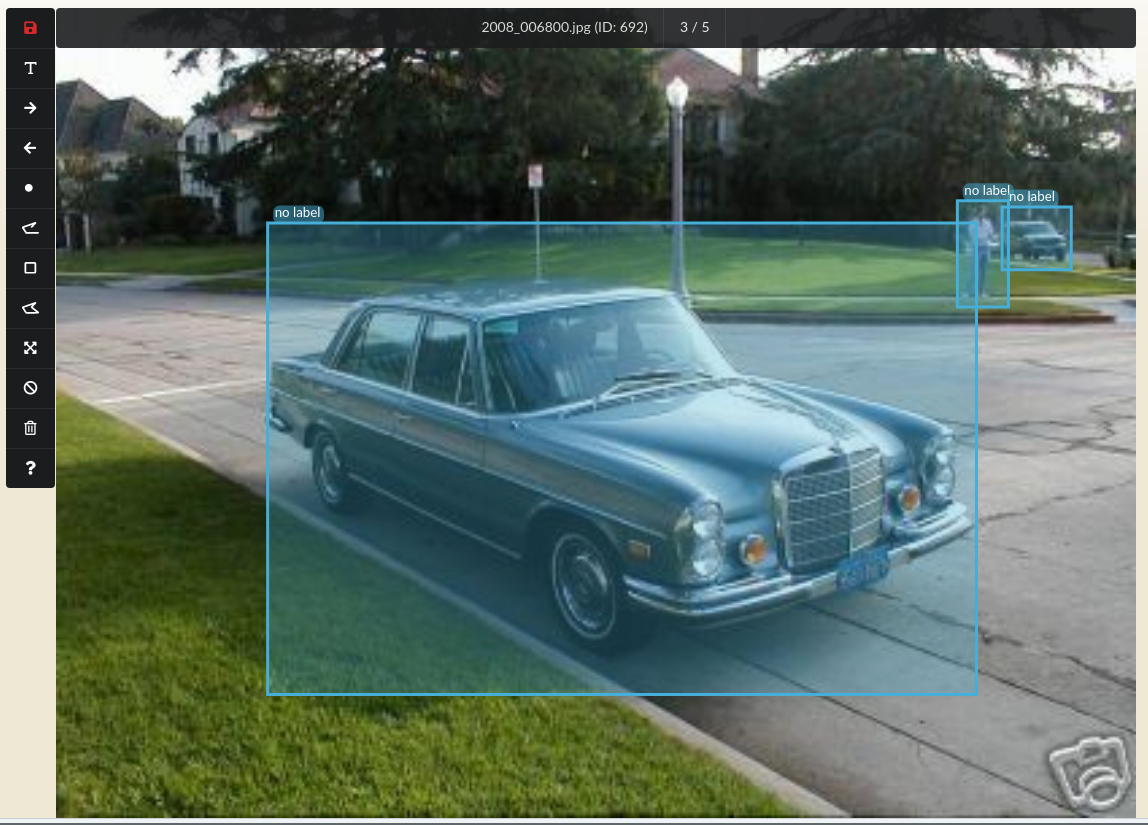 Figure 2: Interface of the SIA Review Tool
In contrast to the normal
SIA Annotation Tool <annotators-sia> you
need to explicitly click on the SAVE button in order to save
changes. When moving to the next image without saving, no changes will
be stored. Everything else will be similar to the
SIA Annotation Tool <annotators-sia>.
The review tool can be used to review all types of annotation tasks (SIA
and MIA)
 Figure 3: Filter box, where images can be filtered by iteration.
Figure 3 shows the filter box where images/annotation can be filtered by iteration.